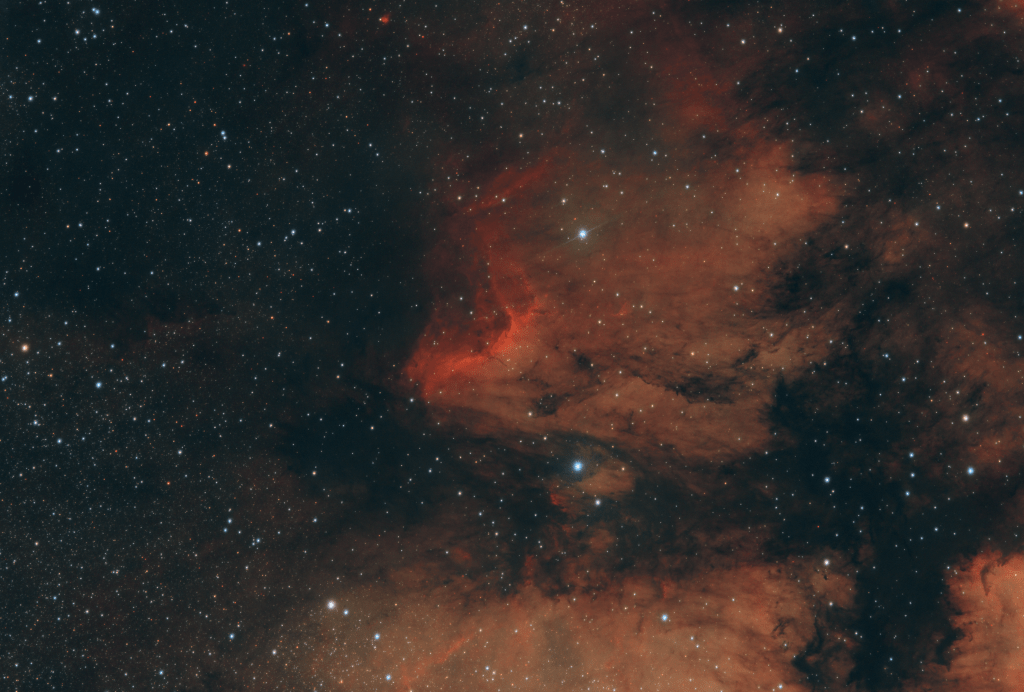

I completed post processing on the pelican nebula this week, and I was fairly pleased with the results. This was comprised of about 12.5 hours of total integration, taken over 2 nights, about 3.5 hours the first night and about 9 hours the second. I broke a little bit away from my goto Siril processing flow I’ll explain that in a minute.
First things first….the capture. If, as I am, you are using a PC to control your rig, make sure to turn off the automatic updates. That is the reason I only collected 3.5 hours of data the first night. Doh! But, the second night went off without a hitch. I stacked after the first night, and again after the second night. I was underwhelmed by the difference between the two stacks. I expected the full two night stack to be much better than the first one; and while it was noticeably better, it wasn’t as dramatically better as I was expecting.
As far as stacking goes, usually my preference is to use the seqsubsky command to remove the gradient frame by frame before stacking. The theory here is that the gradient changes throughout the night based on the moon and light pollution. If the gradient gets stacked it becomes very complex and non-linear, difficult to remove, while it can be removed as a linear gradient pre-stack. Usually, I’m quite happy with the result of the pre-stack removal, but in this case it seemed to be removing quite a bit of signal with the noise. I think that in this case, almost the entire frame has nebulosity, causing the automatic gradient calculation to fail. So I decided to give another tool a try, GraXpert. GraXpert has a few different tools for gradient removal. Unfortunately, it can’t embed into Siril, which makes the use somewhat awkward, and it results in multiple copies of the file, but it’s quite powerful. GraXpert has several tools for gradient removal, among them a polynomial and an AI extraction. I gave the AI a try with the default settings, and the result was pretty dramatic. It was an excellent gradient removal. I flipped back to Siril, stretched the image, ran the DeepSpaceAstro star reduction tool, adjusted the contrast and saturation, and it was done.
 Sweetman Astrophotography
Leave a comment